Microsoft Copilot Becomes an AI Super App: What’s New?
Artificial intelligence is going beyond chatbots and the Microsoft Copilot AI Super App is one of the examples of this change. Microsoft has launched a Copilot experience that brings conversational AI, coding, Microsoft 365 applications and autonomous AI agents into a more connected setting. The announcement was made on September 25 2026 as Microsoft introduced the Copilot as a way to connect the tools people use for work with more advanced AI features.
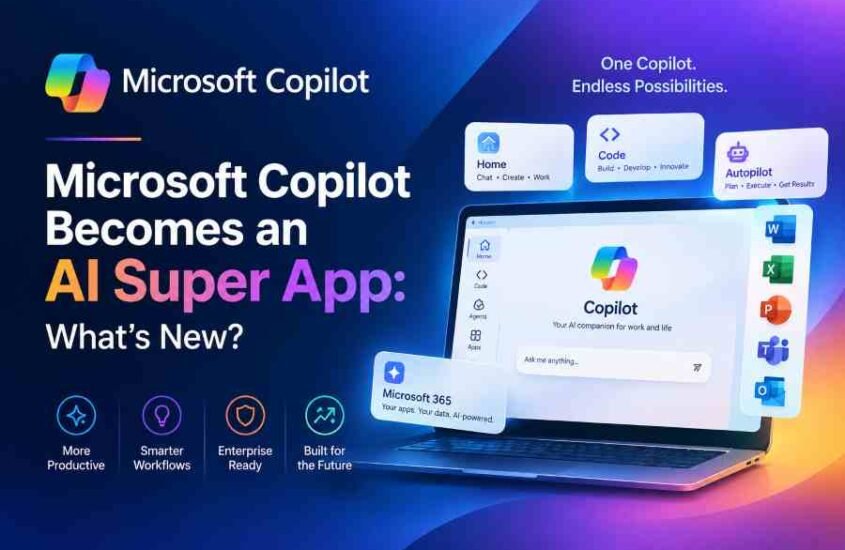
Of making users switch between different AI tools for writing, coding, research and task automation the new Microsoft Copilot 2026 experience is built around different ways of working. The redesigned app includes Home, Code and Autopilot while Microsoft 365 applications and files can also be accessed through the Copilot experience.
For businesses, developers, marketers and knowledge workers this is a step forward in the development of AI productivity tools. The focus is moving more from asking AI questions to letting AI help with workflows.
What Is New in the Microsoft Copilot AI Super App?
The main change is how Microsoft is bringing features together. The new Microsoft Copilot AI Super App is organized around experiences that are meant for different kinds of work.
The Home experience combines Copilot Chat and Copilot Cowork with Microsoft 365 features. Users can work with information and Microsoft applications without switching between separate environments. Microsoft says the updated experience can connect users with Word, Excel, Outlook, files and other Microsoft 365 content.
The Code experience is for software and solution development. Microsoft says it is powered by the technology as GitHub Copilot with the aim of extending AI-assisted solution building beyond traditional professional developers. This could make AI coding tools more accessible to employees who need to create applications, automate tasks or build internal solutions.
Another big addition is Autopilot. Unlike a chatbot that waits for a prompt and responds Autopilot is built around ongoing and proactive AI agent features. Microsoft describes it as an agent that can keep working even when the user is not actively using it.
This change shows the trend toward AI agents. Of just giving an answer an AI agent can be made to do several steps to reach a goal. For companies this could eventually handle tasks like research, information processing, workflow help and other repeated activities.
Microsoft is also bringing versions of apps like Word, Excel and PowerPoint into the Copilot environment instead of just having them as limited AI features. Reports on the announcement describe workflows where users can move information between documents, spreadsheets and presentations while staying within the Copilot experience.
How Microsoft Copilot Could Change AI Productivity
The development of Microsoft Copilot 2026 is important because productivity AI is becoming more connected with the applications where work actually happens. Of using an AI chatbot separately and then copying its output into another app users can now work with AI in the same place as their documents, spreadsheets, presentations and company information.
For example a marketing professional could use Copilot to help look at data in Excel write content in Word and make a presentation in PowerPoint. A software team could use Copilot Code to help build apps or technical solutions. A business employee might use Copilot Autopilot for tasks that require many steps.
Microsofts overall Copilot system is also getting updates. The September 2026 Microsoft 365 release notes include changes like allowing users to go directly to changes made in Excel from Copilot responses. Copilot can also search for meetings using topics or keywords from meeting details chat and recent transcripts.
Copilot Cowork is also getting features aimed at advanced workplace automation. September updates include an App skill for building interactive apps from descriptions along with improvements for editing existing Word, Excel and PowerPoint files while keeping shared files and version history.
For companies looking at Microsoft AI these changes could make AI useful across departments instead of just being a separate chatbot. Marketing teams could use AI for content tasks sales teams could use it for could use AI-assisted coding and management teams could use AI to organize business data.
However companies also need to think about security, privacy and control. Microsoft has said that work and personal accounts stay separate and that security, privacy, compliance and administrative controls still apply to work and school accounts.
This is especially important as AI agents become able to do more. The more tasks given to an AI system the important permissions, monitoring, data access and human control become.
What Microsoft Copilot Means for the Future of AI
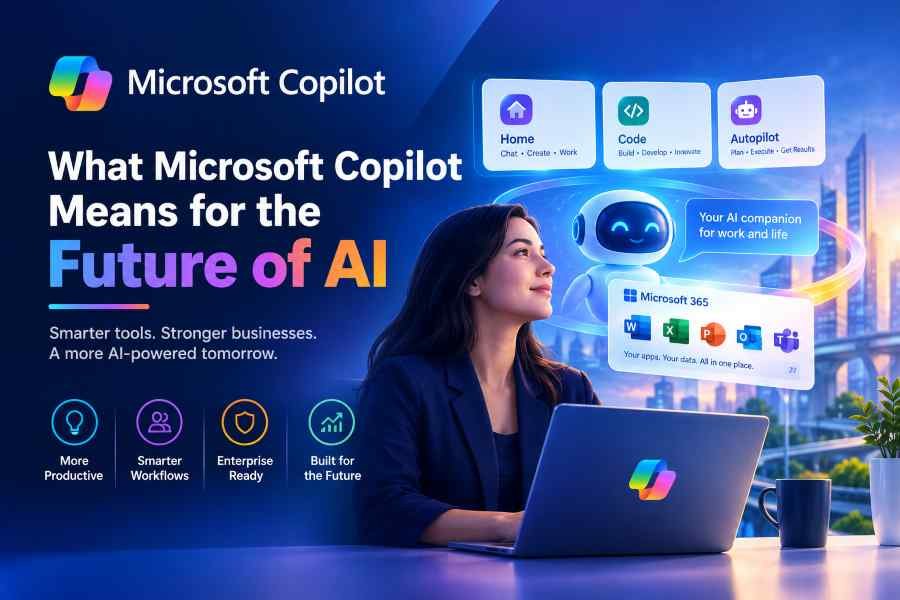
The development of the Microsoft Copilot AI Super App shows a change in the tech industry: AI is moving from a question-and-answer interface to an environment for doing work.
Traditional chatbots mainly respond to questions. The new generation of AI systems is being made to understand context find information use software and complete -step tasks. Microsofts mix of Copilot Chat, Cowork, Code and Autopilot shows this shift.
For companies this change could be big. Of buying separate tools for each AI need organizations may look more for platforms that link AI with existing software, business data and workflows.
At the time the success of AI tools depends on more than just having a lot of features. Accuracy security, ease of use, integration and human control will still be important. AI agents that work on their own must follow rules and business guidelines.
Conclusion
The new Copilot also shows how competition in the AI market is growing. Microsoft is joining its productivity system with AI models, coding skills and agent tech. This offers something from a single AI chatbot because users can access AI directly with the apps and info they already use.
For companies looking at Microsoft Copilot the best way is to find time-consuming tasks where AI can help. Businesses can then check the tech based on productivity, security, integration and how employees use it of just taking AI because it is new.
The new Microsoft Copilot AI Super App shows Microsofts effort to make AI a key part of modern work. With Home, Copilot Code and Autopilot along with Microsoft 365 integration Copilot is growing from an AI assistant into a more complete productivity and automation place.
As AI agents AI-assisted coding and smart productivity tools keep improving businesses will have ways to automate repeated work and improve how workers use software. The next stage of AI is likely to focus on giving answers and more on helping people do real work efficiently safely and with proper human control.
FAQs
1. What is the Microsoft Copilot AI Super App?
The Microsoft Copilot AI Super App is Microsofts Copilot experience that brings AI chat Microsoft 365 features, coding and agent abilities into a more connected app.
2. What are the new features in Microsoft Copilot 2026?
Big features include Home, Code and Autopilot along with access to Microsoft 365 apps and data. Microsoft is also expanding AI-assisted development and agent workflows.
3. What is Copilot Autopilot?
Copilot Autopilot is for proactive AI agent experiences. Microsoft describes it as an agent that can keep working on tasks when the user is not actively using it.
4. Can Microsoft Copilot help with coding?
Yes. The new Copilot Code experience is meant to help users create solutions and apps, with AI help using technology to GitHub Copilot.
5. How can businesses use Microsoft Copilot?
Businesses can use Microsoft Copilot for AI-assisted work, document tasks, data analysis, coding, data search and automated workflows. Companies should also think about security, permissions, rules and human control before using AI agents.
Thank you for reading
Buy Web Hosting at an affordable price: Buy Now.
If you want to build your website at an affordable price, contact www.nextr.in
Read this: How AI is Changing Education